AI-Powered API Test Generator
AI-driven API Test Generation enables automatic creation of test cases from Swagger schema definitions using artificial intelligence. This allows users to instantly generate structured, intelligent test scenarios without manually writing test scripts. It streamlines the testing process, improves coverage, and ensures faster validation of API functionality.
1) Location of AI-Powered Test Generator
a) Navigate to the API Testing page where you will also find the Generate APIs with AI icon located next to the Import Collection button.
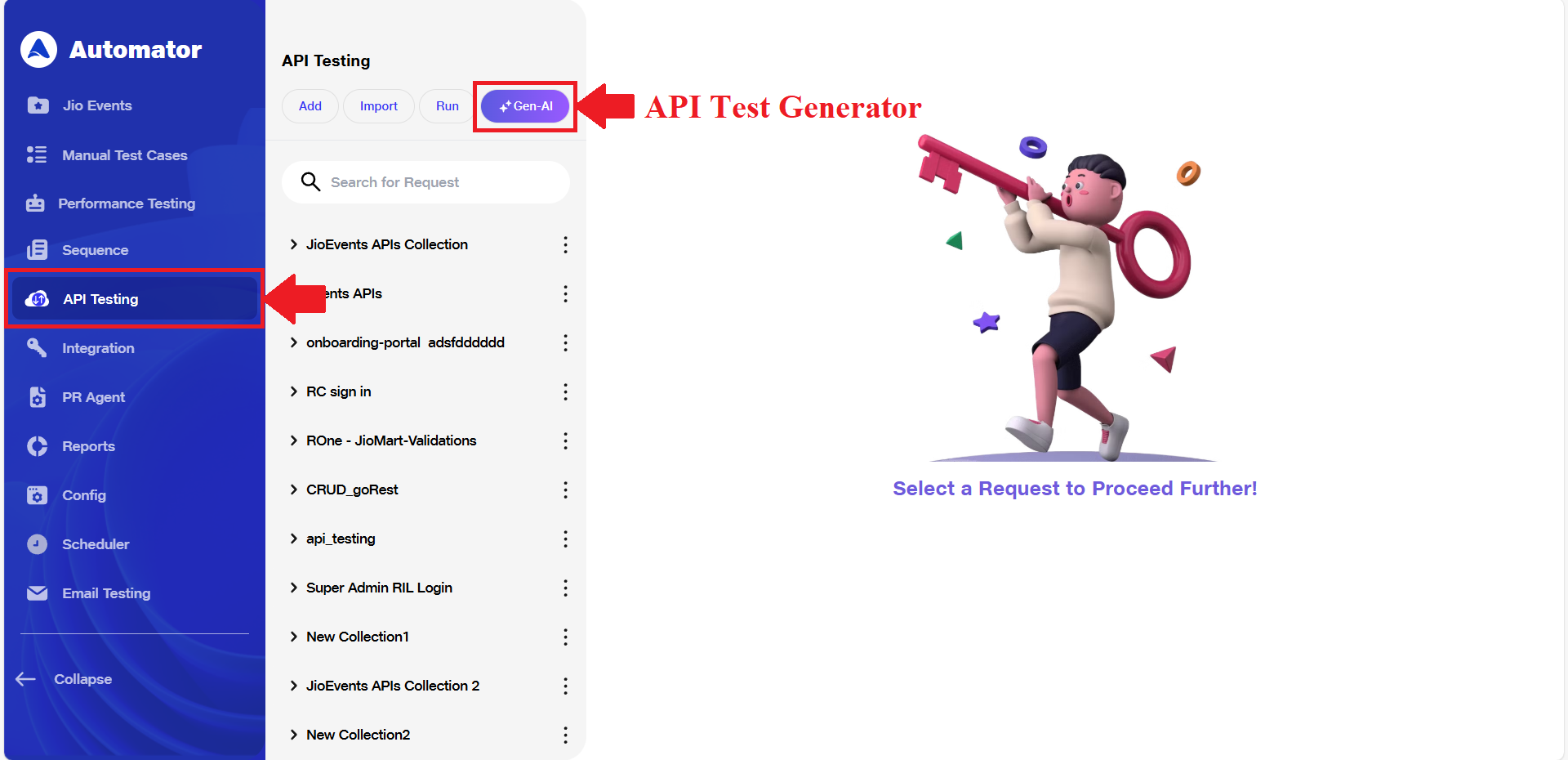
2) Providing API Specification
a) Clicking the Generate APIs with AI icon will open a popup that allows you to provide your API specification in one of the following ways:
i)Upload (Import Schema) a Swagger schema file in .json or .yaml format from your local system. The maximum file size for uploads is 5 MB.
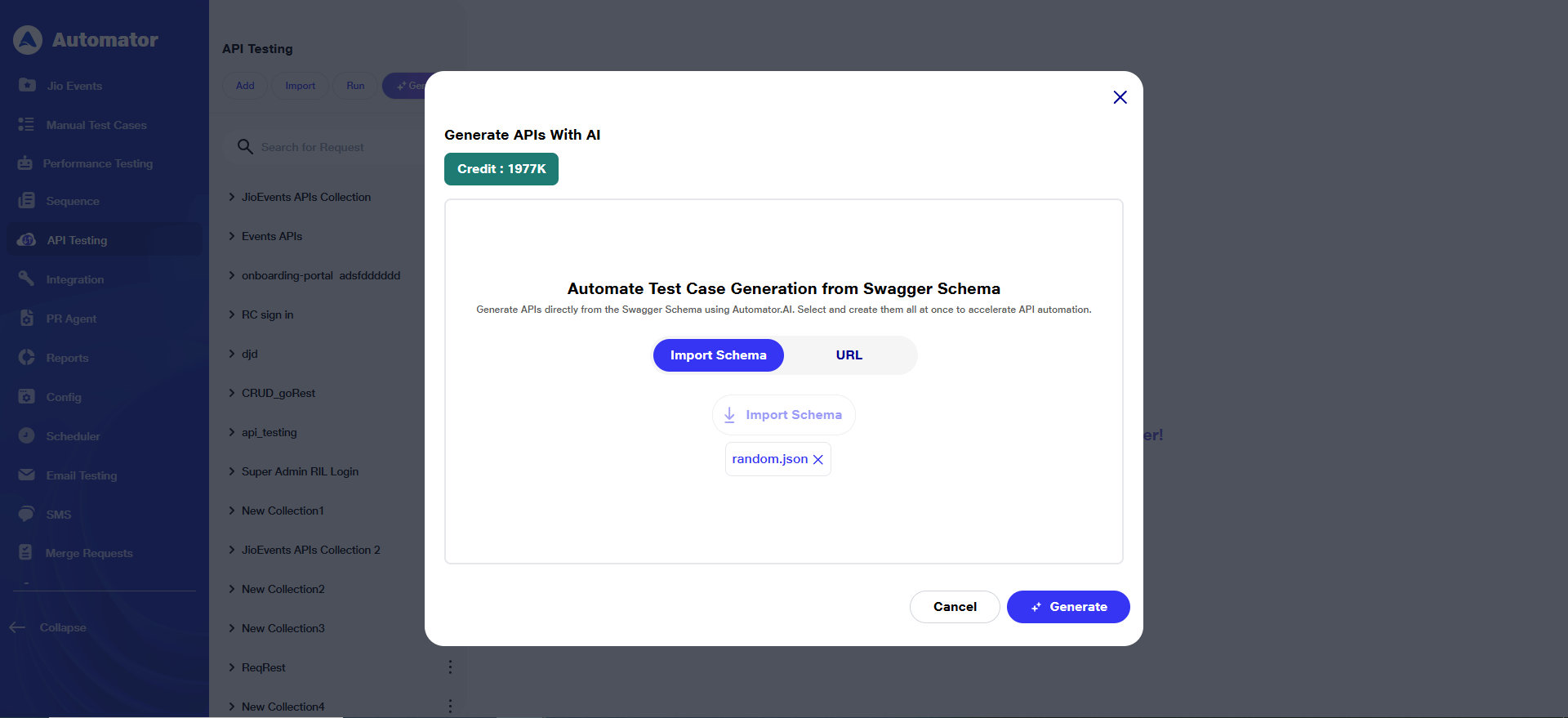 ii)Paste (URL) a URL that links to a Swagger JSON file, such as: https://petstore.swagger.io/v2/swagger.json
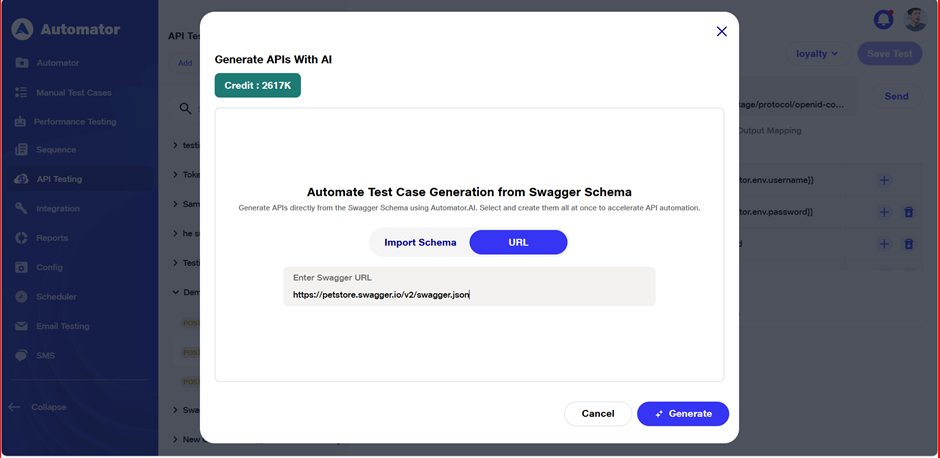
3) Importing Schema
a) Click the Import Schema button to begin the import process.
b)Note: Only Swagger schema files in .json or .yaml format are supported. Uploading any other file type will trigger the following error: Error: File format not supported. Please upload a valid Swagger schema (JSON/YAML).
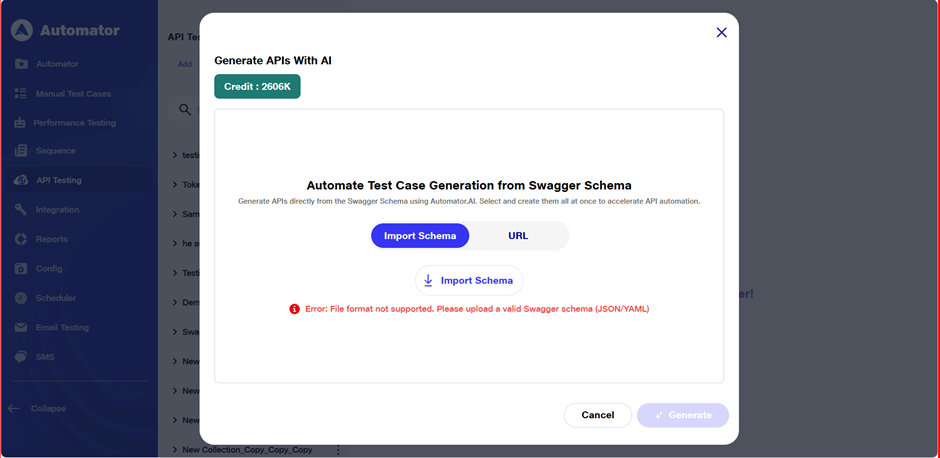
4) Entering Swagger Schema via URL
a) If the user prefers not to upload a file, the user can paste a direct URL to a Swagger JSON file instead by switching to URL option.
b)The URL must point to a valid Swagger schema (e.g., from an API gateway or documentation site).
c) Example of a valid URL: https://petstore.swagger.io/v2/swagger.json
d) Once the URL is entered, the system will automatically fetch and validate the schema content before proceeding.
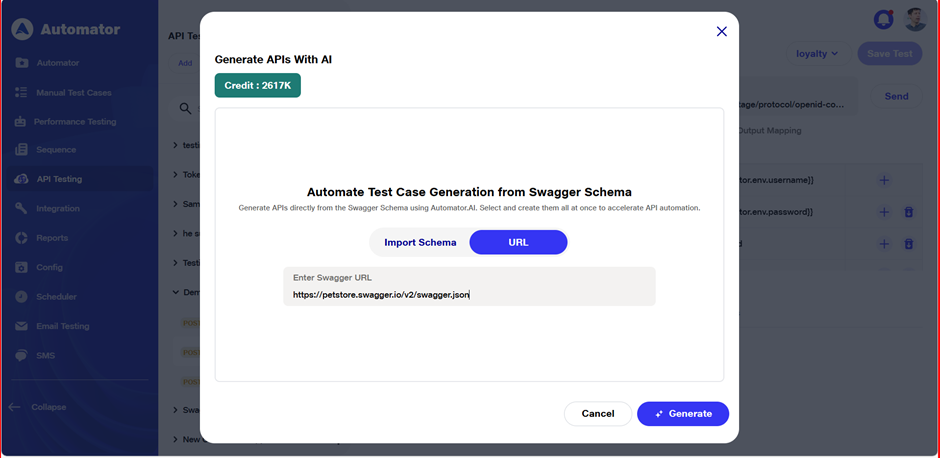 e) Ensure the URL is publicly accessible or accessible from within your network to avoid loading errors.
f) Error Handling:
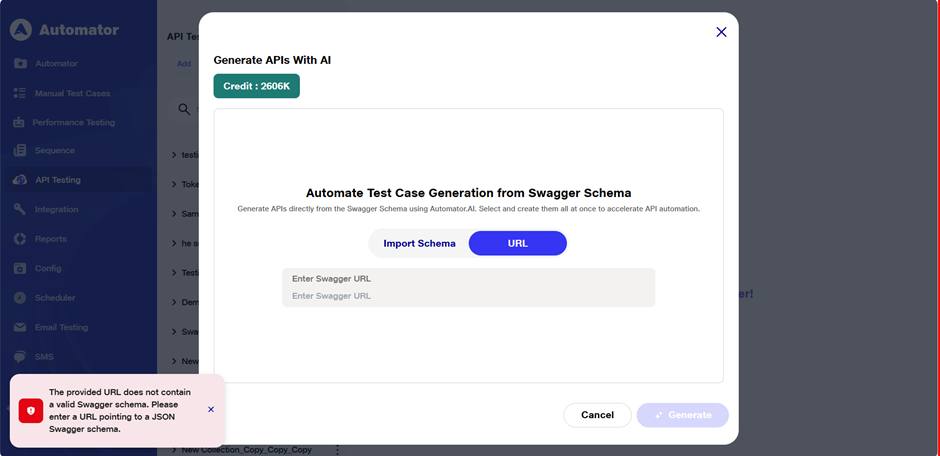
i) URL Validation Restriction: If the entered URL does not contain a valid Swagger schema, the following error toast will be displayed: The provided URL does not contain a valid Swagger schema. Please enter a URL pointing to a JSON Swagger schema.
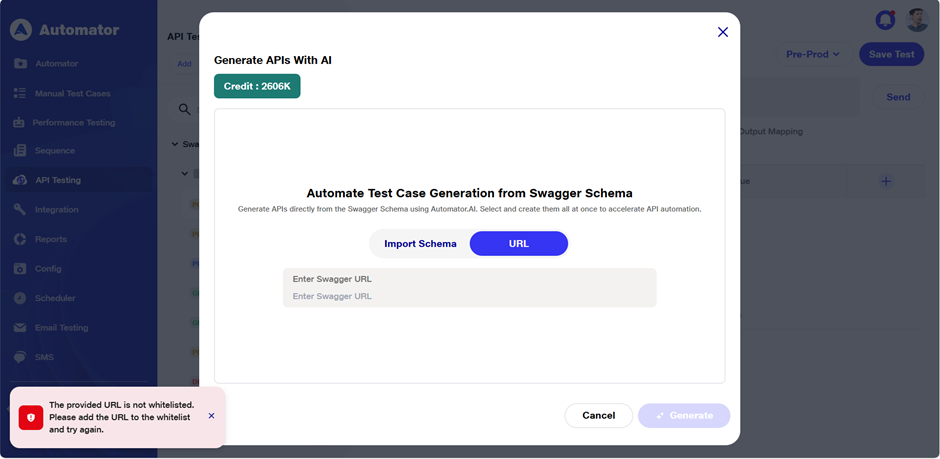
 ii) URL Whitelisting Restriction: If the URL contains a valid schema but is not whitelisted, the following error toast will be displayed: The provided URL is not whitelisted. Please add the URL to the whitelist and try again.
5) Generating Test Cases
a) After successfully importing the Swagger schema, once the AI receives the schema then the Generate button will be enabled. Click on it to proceed.
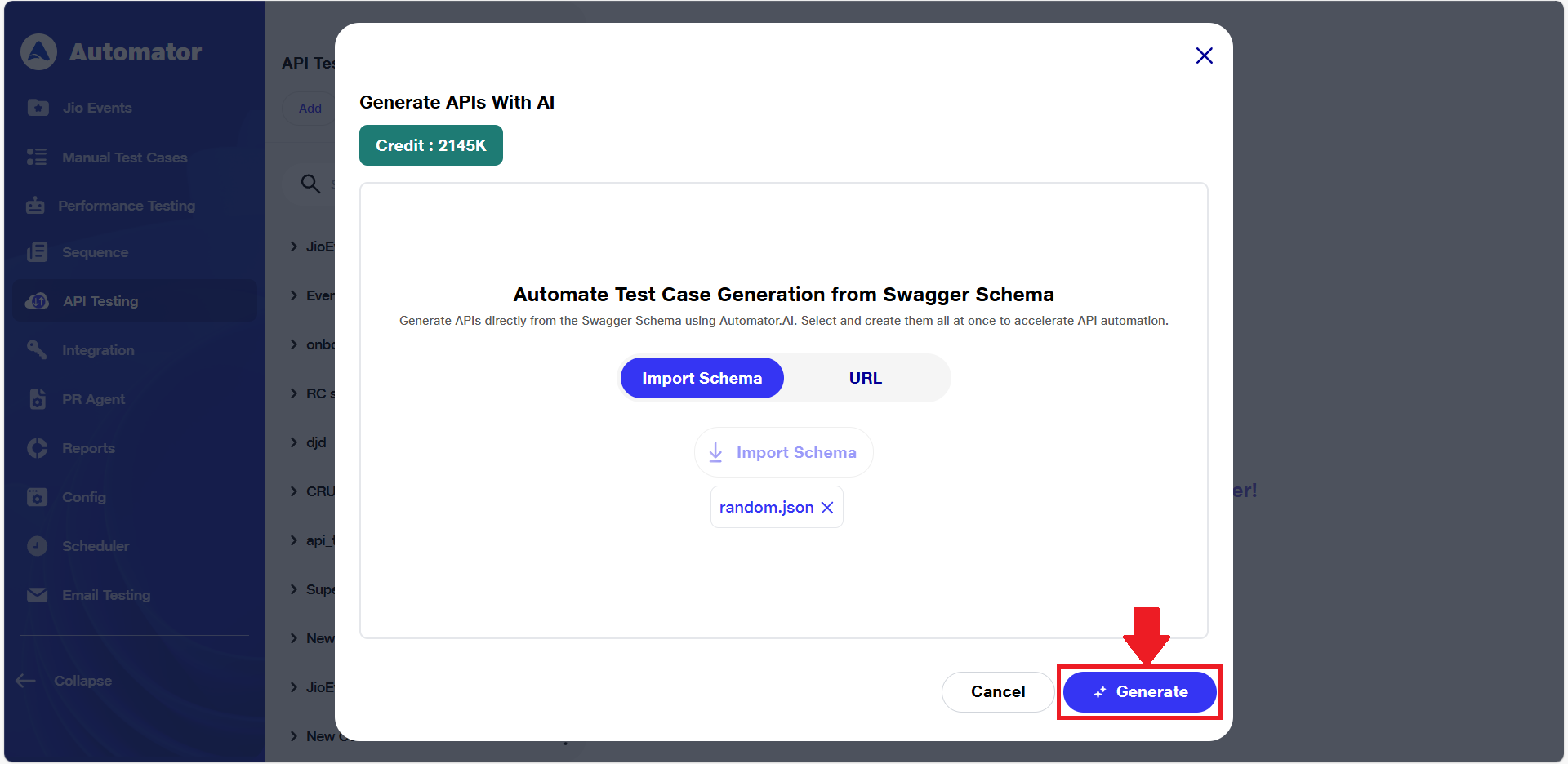 b) This will start loading the data and trigger the AI engine to analyze your API specification.
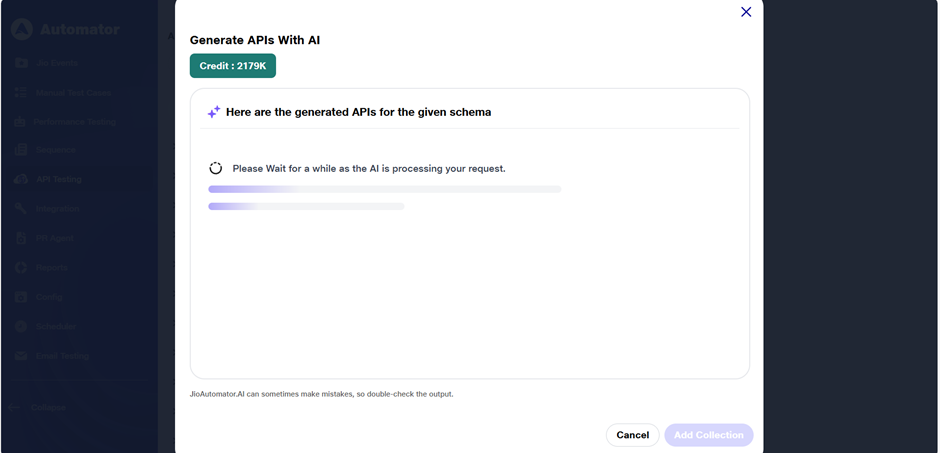 c) Once loading is complete, a list of APIs extracted from the uploaded schema will be displayed. This includes:
i) Endpoint paths (e.g., /users, /orders/{id})
ii)HTTP methods (GET, POST, PUT, DELETE, etc.)
iii) Basic metadata such as summary or description (if provided in the schema)
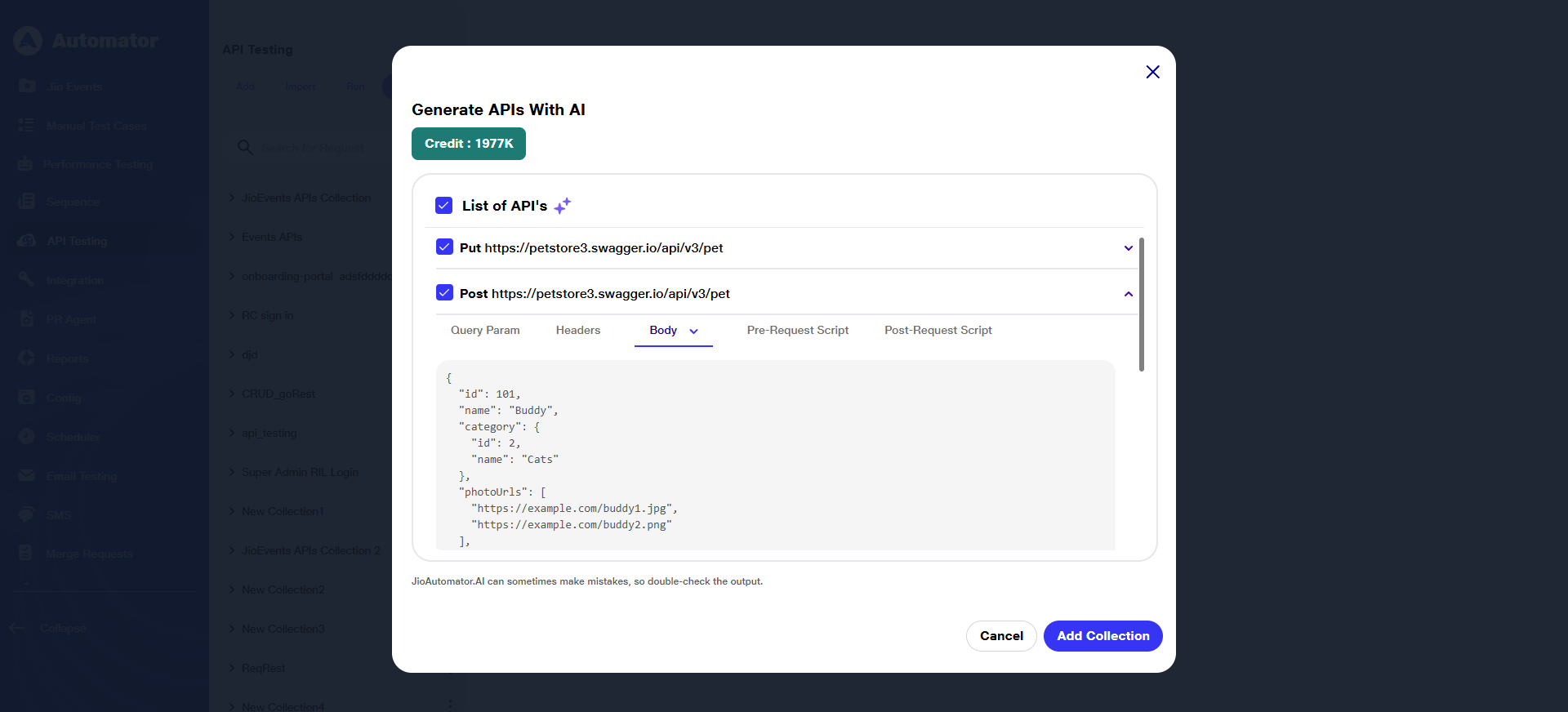 d) A list of API requests will be generated. Clicking on the dropdown of any API will display its detailed information, including:
i) Request URL
ii)Request body (auto-generated)
iii) Headers, query params
iv)Post-request scripts or assertion data
e) Automator AI will analyze the JSON/YAML data and generate APIs accordingly. It will assist in creating a sample request body and post-request assertions, while retaining the query parameters, headers, pre-request scripts, and URLs as defined in the provided JSON/YAML schema.
f) Each API request will be displayed with a checkbox next to it.
g) By default, all APIs will be selected for test case generation.
h) As per user’s needs, user can deselect any API that he/ she doesn’t want to include by unchecking the corresponding checkboxes next to each API entry. This gives users flexibility to generate tests only for the endpoints you care about.
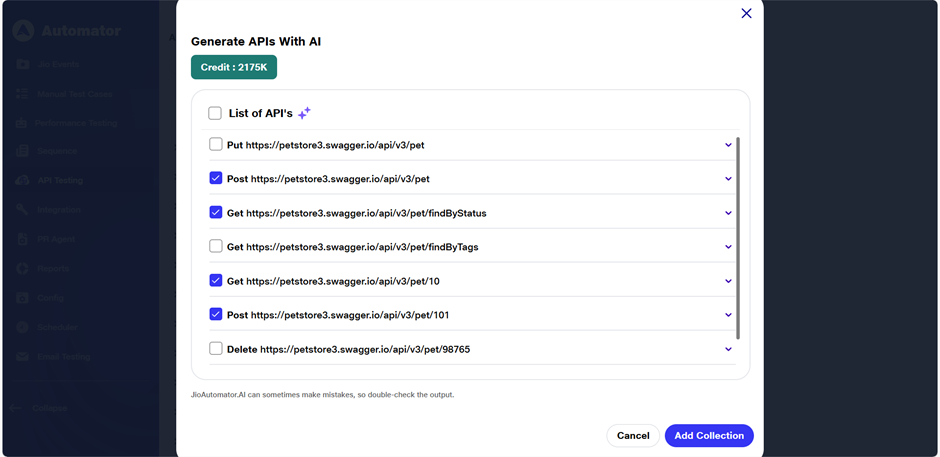
6) Adding API Requests to Collection
a) Once the user has selected the desired APIs from the list, they can click on the Add Collection button.
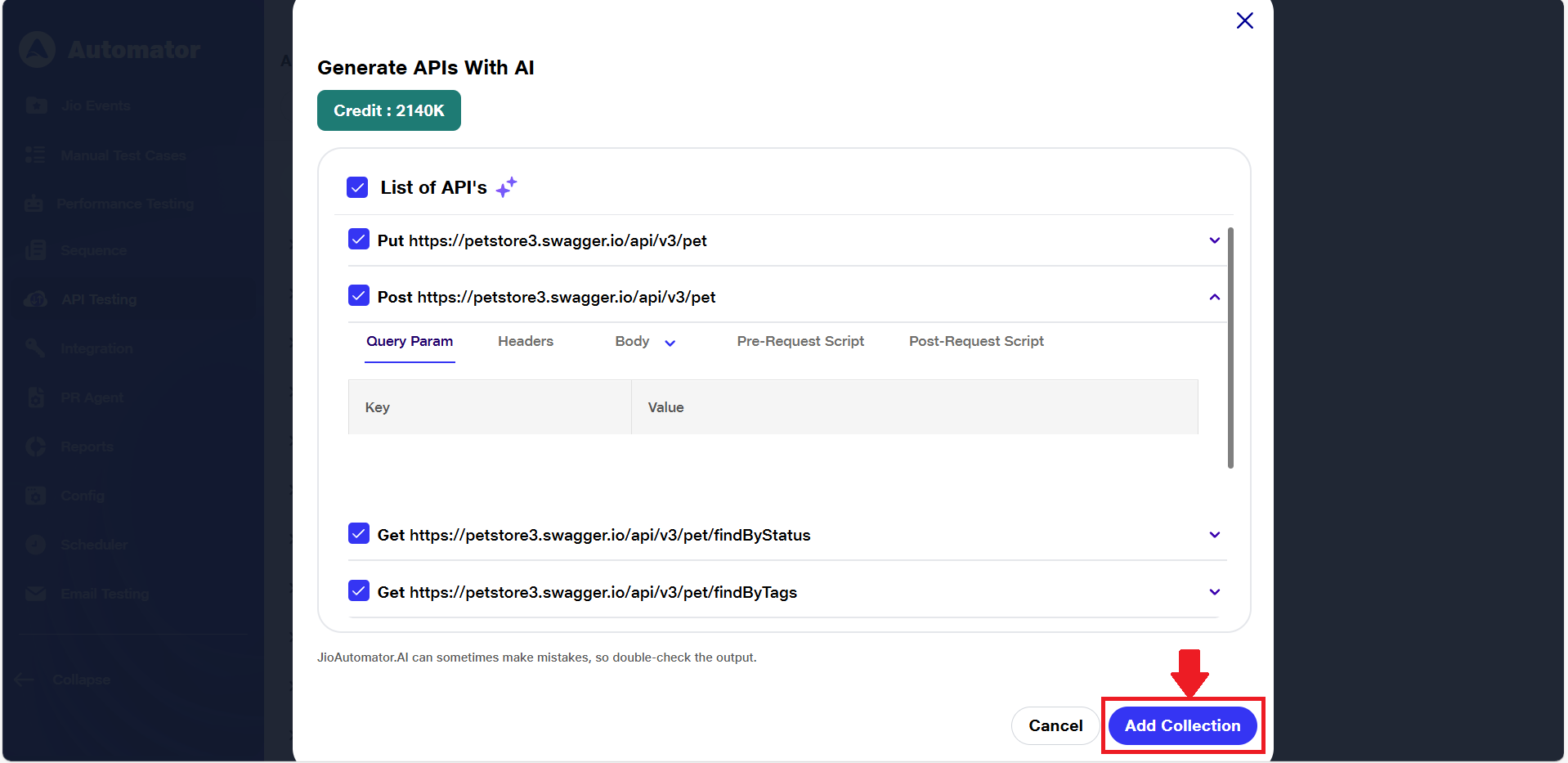 b) This action will add the selected API requests to a new collection within the API workspace.
c) The collection will contain:
i) The selected endpoints with their methods
ii)Generated request structure (headers, parameters, body)
iii)Associated test metadata (if applicable): includes AI-generated test scenarios, sample request assertions, execution status, and validation logic derived from the schema
iv)Collections help organize API requests and generate tests for easier management and execution.
d) The collection name will be taken from the title or name field defined in the Swagger schema. If the user adds the same schema multiple times, the system will automatically apply a versioned naming convention, such as: Schema, Schema_1, Schema_2, and so on.
e) After transferring the AI-generated APIs into the collection, verify that the request details (URL, request body, post-request data, etc.) are prefilled based on the provided schema.
f) Success Toast: All API requests have been successfully added to the collection
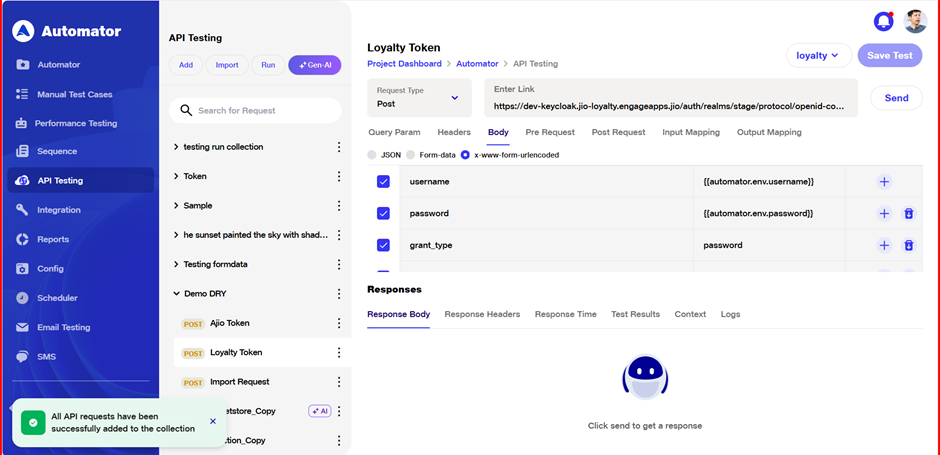
7)Executing and Validating API Requests
a) After adding the AI-generated APIs to the collection, users can execute the APIs and check the response for each request.
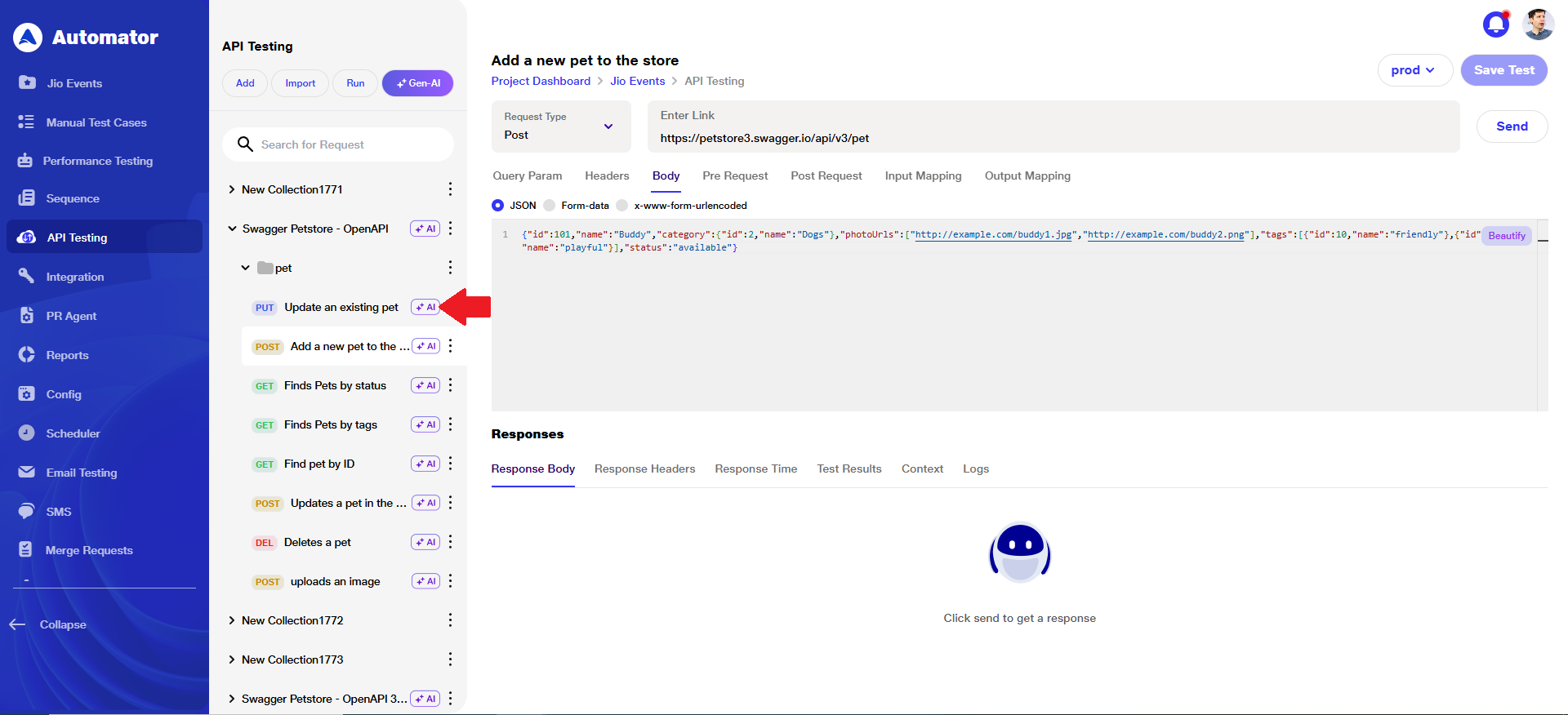
b) The AI-generated APIs in the collection will be visually marked with a distinct icon, helping users identify which requests were created through AI.
 c) In cases where the AI is unable to generate a request body or post-request data, the following behavior will occur:
i)A blank request body will be displayed in the API details panel.
ii)The user will not be able to add that specific API to the collection.
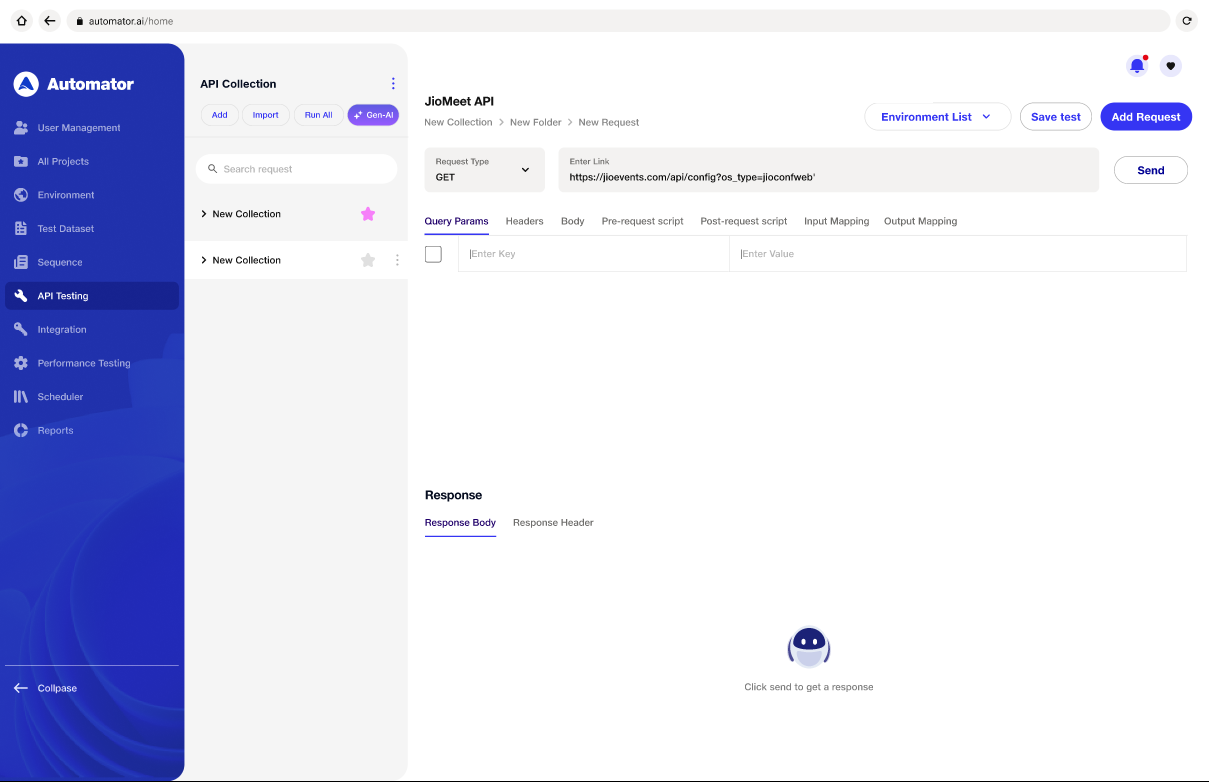 d) Tip: Always review request details before execution, especially when the request body or post-request logic is missing or incomplete.
Benefits
1) Automates test creation from Swagger schemas, eliminating manual scripting.
2) Accelerates testing cycles with instant test generation.
3) Enhances test coverage by capturing all endpoints and scenarios.
4) Ensures schema-aligned accuracy in test cases.
5) Generates intelligent scenarios using AI for thorough validation.
6) Streamlines the testing workflow from design to execution.
7) Improves team collaboration through shared, schema-based understanding.
8) Adapts easily to changes in API specifications.
9) Supports CI/CD pipelines with automated test integration.
10) Lowers the skill barrier for creating effective API tests.